HybridLink for teams updates
Our best-in-class hybrid solution, which integrates with Teams to let operators manage microphones and votes, now has lots of new features:
- More microphone compatibility: Bosch wireless and wired, Televic using Cocon or Confero360
- Simplified voting on mobile and desktop with a pop-up that appears on the screen automatically and in the chat.

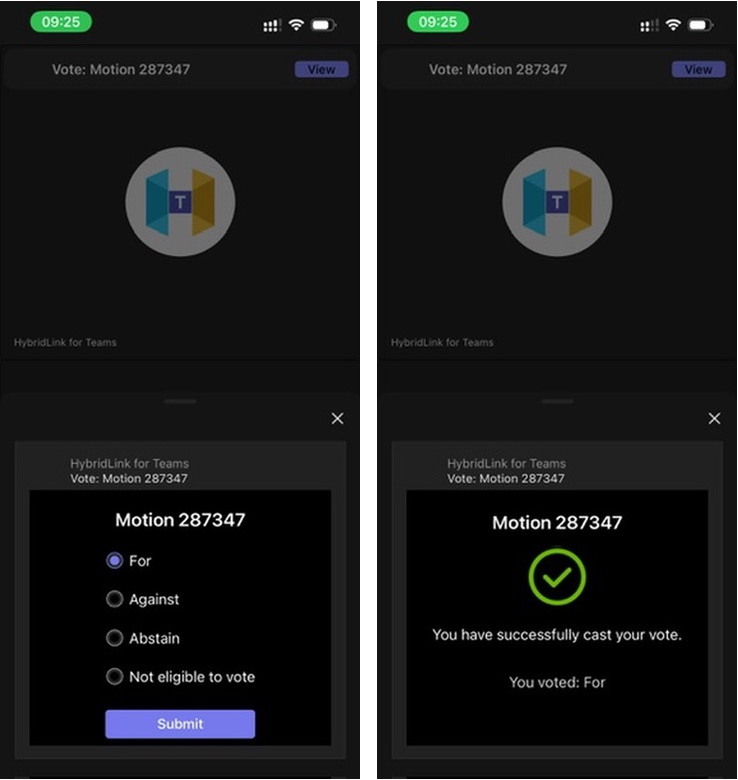
When the vote begins, the vote card will automatically appear.
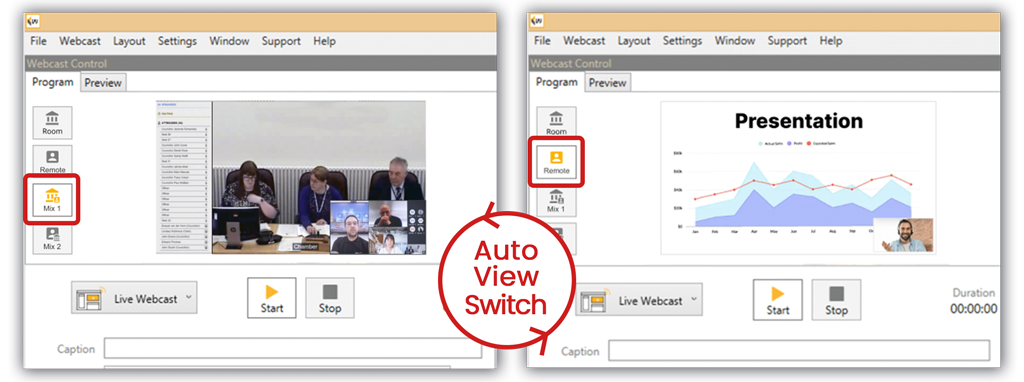
- Automation of the hybrid view buttons in Webcaster: the Local/Remote/Mix1/Mix2 buttons can now automate depending on the microphones that are on in the room or remote (on Teams).
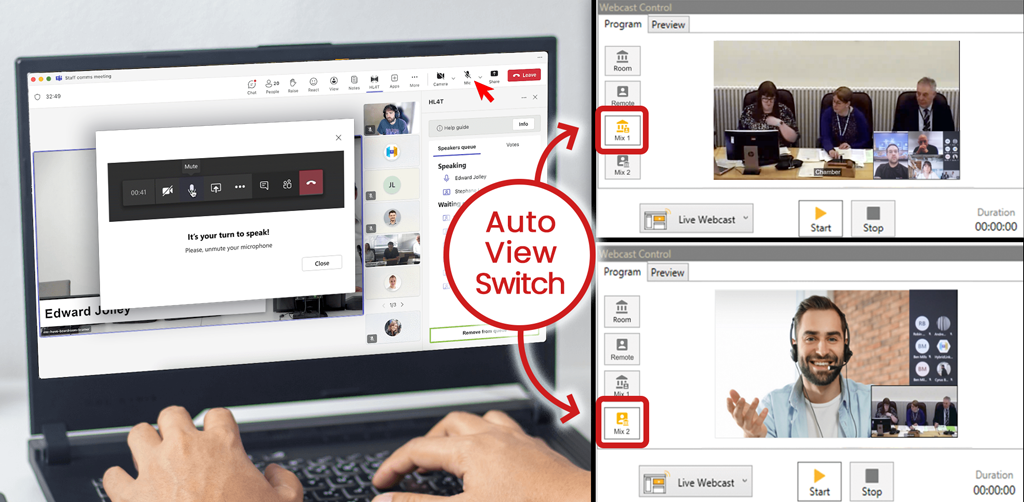
Automatically switch to best view
It will also automatically switch to the remote view when a presentation is shared on Teams.


- HybridLink for Teams is now compatible with dual language systems: translators can join in Teams easily, and their microphones will not be limited.
Connect Webcasting updates
Microphone ID cards can be linked to speaker’s profile
It is now possible to match ID cards from microphone systems with speaker profiles that have been created on the microsite manually or via an import from Mod.Gov or CMIS.
The new version of Connect lets you import and match your ID cards with our easy import tool (Bosch Dicentis and Televic Cocon compatible for now).
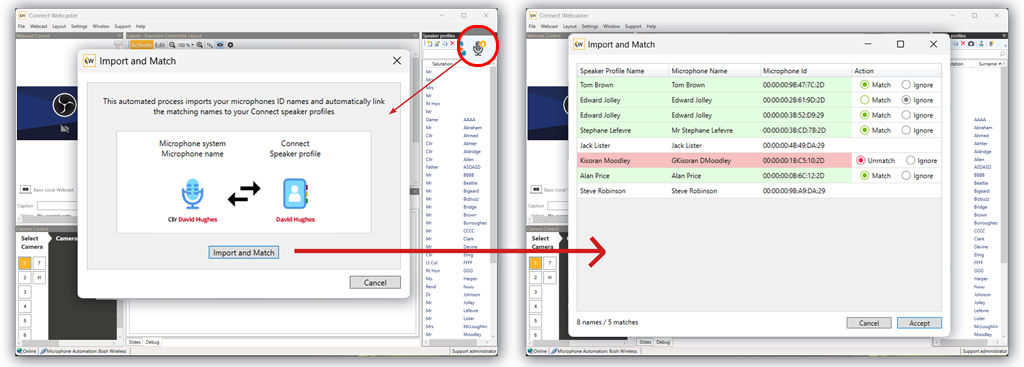

Once you have done this, a member can sit anywhere they want in the room, and when they press their microphone on, their profile will automatically be tagged on the webcast.
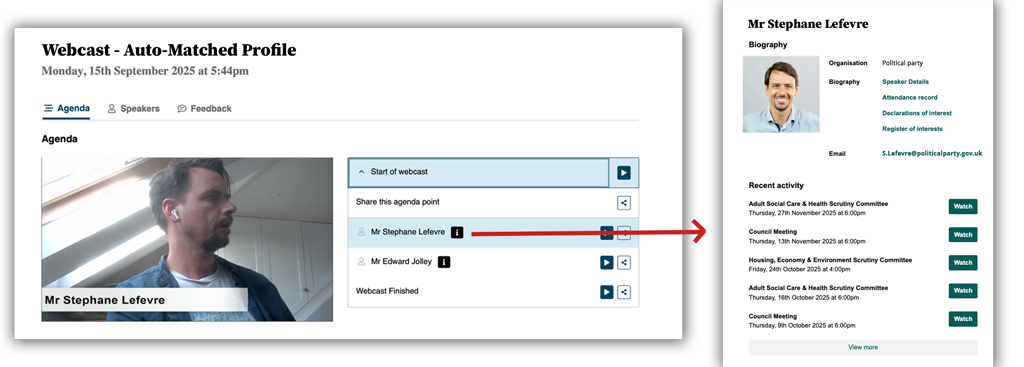
When the mic ID is used, the speaker’s name and profile will be shown on the webcast automatically.
This also means that end users can find more information about the speaker and access their profile page (linked to mod.gov or CMIS if configured).
It also gives councillors more public visibility.
Stream directly to YouTube and pause screen
Some of our clients like to increase their viewership by streaming onto their branded webcasting site and YouTube at the same time. The trouble with YouTube is that it does not let you pause a live video stream. This is an issue because most council meetings are long and need breaks. Sometimes it’s also necessary to pause webcasting for confidential parts of the meeting.
Our platform’s pause feature lets users show a message to viewers during the live meeting and then restart the stream. When the meeting is published automatically for on demand consumption, we make sure that this part of the video is not published.
Thanks to our new option to stream directly to Youtube (or Facebook), we can now replicate the same feature.

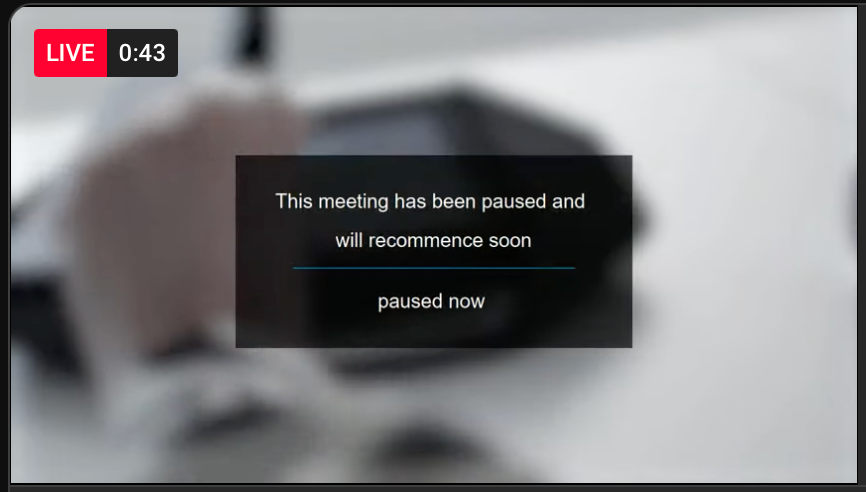
Pause message on a YouTube webcast
The operator can set the pause message that they would like to show to end users and can even customise the background video.
Also, we are presently working on automating YouTube bookings with mod.gov and CMIS so that you will not have to enter stream keys for each meeting.
Custom lower thirds
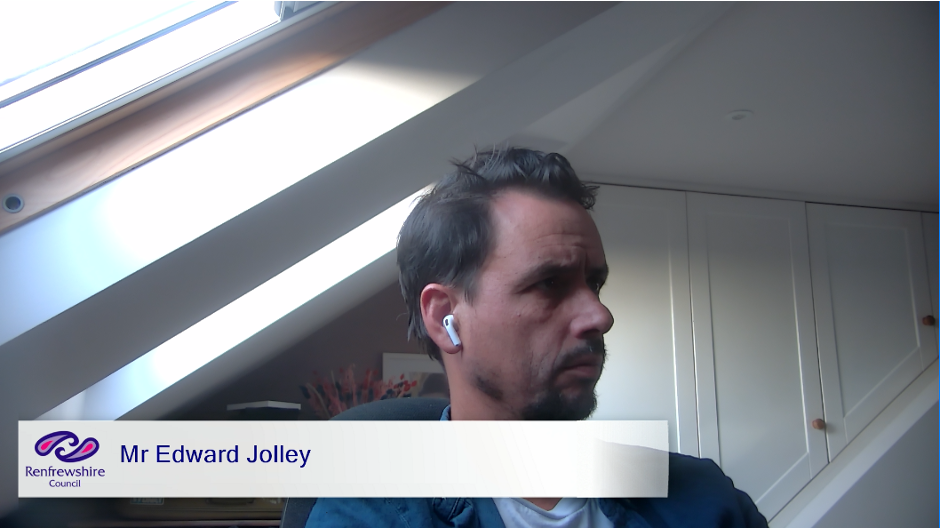
And while we are talking about customisation, it is now possible to add a logo and change the appearance of the banner that is displayed when a speaker has their microphone on.
This means the size, font and colours can be tweaked to match your council’s guidelines and look and feel.