


Changes in council make up after elections means updating speaker profiles ahead of committee meetings and webcasts. If your authority uses Modern.Gov or CMIS, there’s a straightforward way to keep speaker information accurate while enhancing the viewing experience for residents.
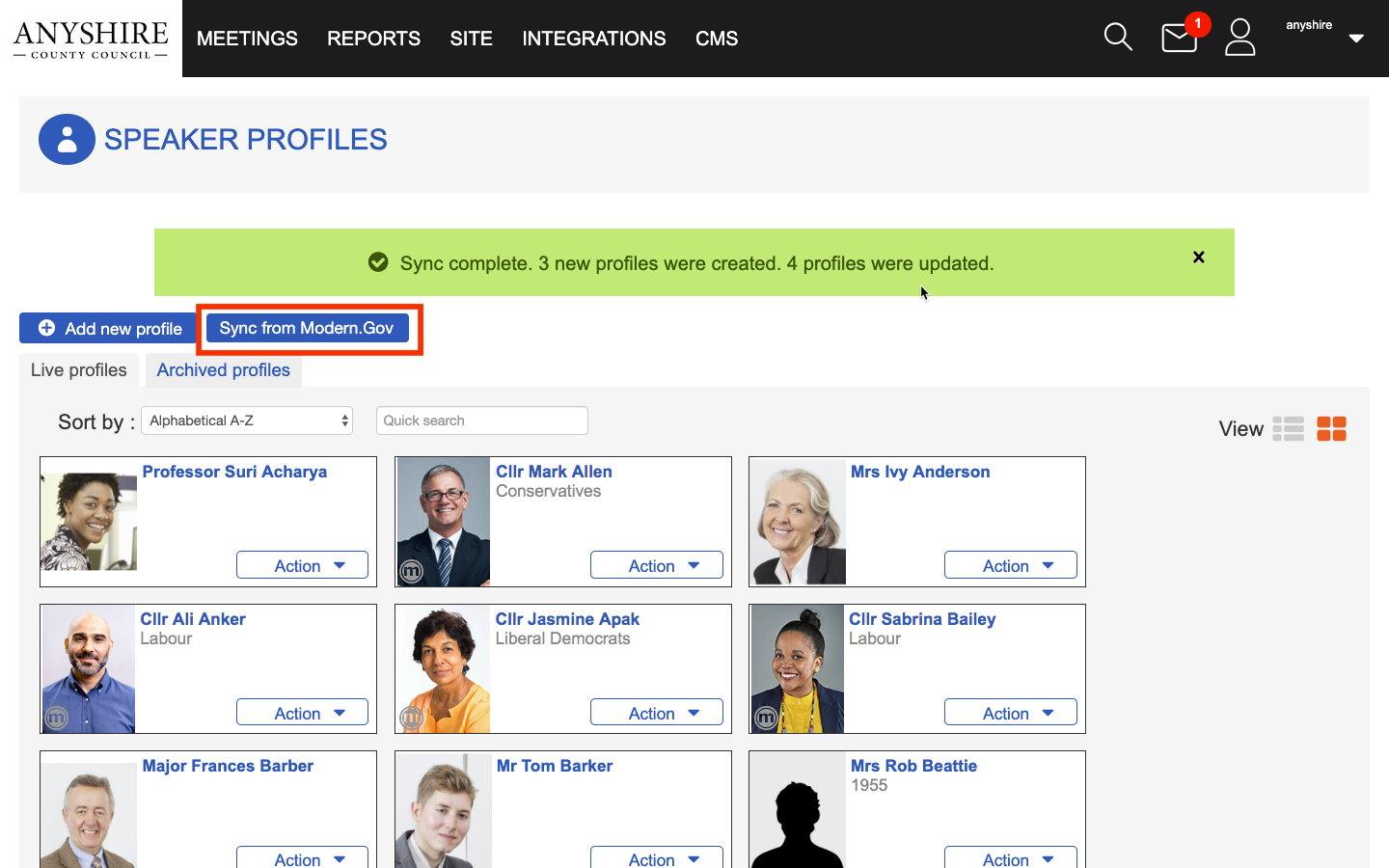
Connect Webcaster can synchronise speaker profiles directly from Modern.Gov (or CMIS), allowing councils to update their speaker database quickly and reduce the need for manual administration.
Why speaker profiles matter
Speaker profiles do much more than display a name on screen.
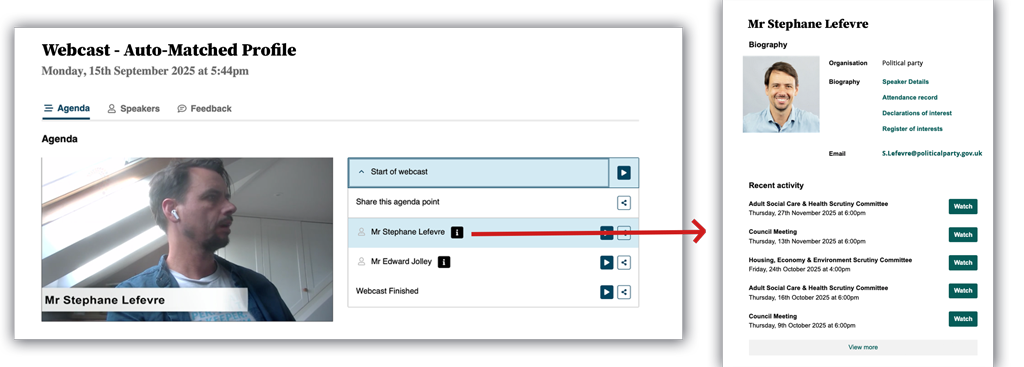
When a speaker profile is linked correctly, viewers can access information about the councillor speaking, helping them better understand who is contributing to a discussion. Profiles can also be linked back to Modern.Gov, creating a more connected and informative experience for webcast viewers.
Accurate speaker profiles also improve speaker jump points and transcripts, making it easier for viewers to navigate meetings and find specific contributions.
Synchronise from Modern.Gov/CMIS in a single click
Rather than creating or updating profiles individually, Webcaster allows councils to synchronise speaker profiles directly from Modern.Gov.
This can be particularly useful following elections, by-elections or wider changes to committee memberships. Once synchronised, Webcaster can automatically maintain an up-to-date list of speakers whenever the application launches.
The result is less administration for democratic services teams and greater confidence that webcast information remains accurate.

Linking microphone ID cards to speaker profiles
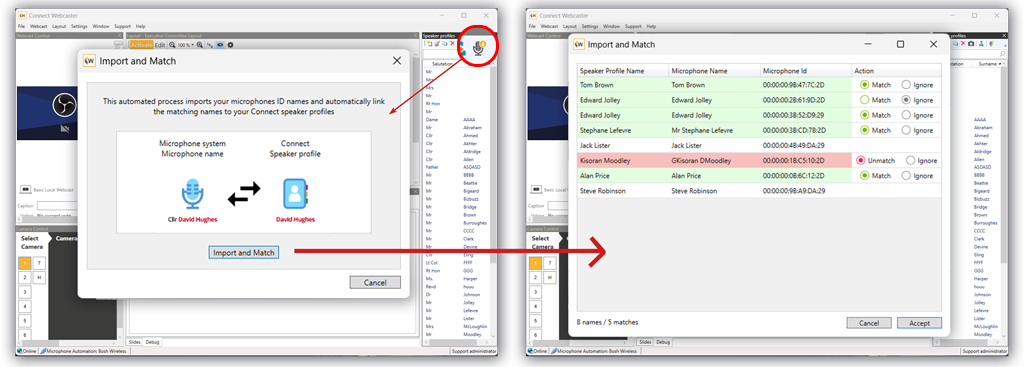
The latest Webcaster functionality also allows conference microphone NFC ID cards to be linked directly to speaker profiles.
Traditionally, conference systems could identify a speaker and display their name on a webcast. Now, those microphone identities can be associated with a full speaker profile, providing a richer experience for viewers and ensuring speaker activity is attributed correctly throughout the webcast.
Benefits include:
- Accurate speaker identification
- Enhanced speaker jump points
- Richer speaker information for viewers
- Improved transcript tagging
- Better navigation of archived meetings
For authorities running hybrid meetings, Teams participants can also be linked to speaker profiles using their email address, allowing remote contributions to be identified automatically.
Getting started
We’ve published a detailed guide explaining how to synchronise speaker profiles, import microphone ID cards and link them to councillor profiles.
While the process is straightforward, configurations can vary between councils depending on the microphone system and webcast setup in use.
If you’re planning to use speaker profile synchronisation or microphone ID card matching for the first time, we recommend speaking to your Account Manager. They can help ensure everything is configured correctly and that you’re getting the maximum benefit from the functionality before your next meeting.
Accurate speaker profiles help create richer webcasts, improve accessibility and make it easier for residents to engage with council meetings. With synchronisation available directly from Modern.Gov, keeping those profiles up to date is now significantly easier.